
E-Paper, LCD, and Paper: Which Display Belongs On Site for the Long Term?
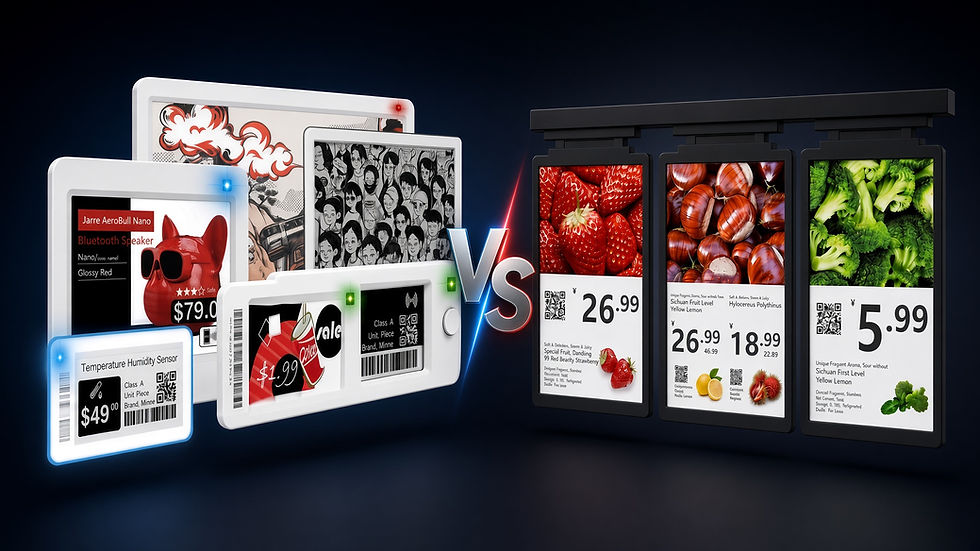
We read information every day: phones use LCD or OLED screens, supermarket shelves use paper price tags, and e-readers use e-paper. The three display methods work on entirely different principles. For retail, food service, and warehousing, a label has to hang on a shelf all day, be readable in a few seconds, and be updated from time to time. Choose the wrong medium and you either cannot see the content clearly, or every price change burns another round of labor and consumables. This article explains how e-paper, LCD, and traditional paper form an image, then compares their strengths and weaknesses.
Paper: once printed, it cannot be changed
Paper is a reflective medium. Ambient light falls on the ink and paper fibers, and the eye receives the reflected light. It uses no power, does not flicker, and has almost no dead viewing angles. It has one limitation — the content is one-off. Change a single price and you have to reprint, cut, and send someone to replace the tag. The more SKUs you have, the more expensive this process becomes.

LCD: the backlight must stay on for you to see anything
Liquid crystals themselves do not emit light. An LCD panel places a backlight behind the glass (LED in most products today) and twists the liquid-crystal molecules to control how much light gets through. That is why it delivers full color and fast refresh, and why it is well suited to video and interactive interfaces. The cost is that the backlight has to run continuously. In strong light the screen’s own output looks weak, and glare is common.

E-paper: “printing” charged particles onto the screen
E-paper places charged black-and-white or color particles inside microcapsules. Apply an electric field and the particles migrate to the surface, forming text and images. Once the image is written, it can be held in a bistable state — even with the power off, pictures and text remain on screen. Like paper, it relies on reflected ambient light, so the brighter the sun, the clearer it looks. Like a screen, it can be rewritten with an electrical signal. Refresh takes a little time, so it is not suitable for video. For changing prices, promotions, and stock status, it is more than enough.

Comparison | E-paper | LCD screen | Traditional paper |
Imaging method | Reflects ambient light (paper-like) | Backlight passing through a liquid-crystal layer | Ink printed on paper fibers |
Needs its own light? | No. Stronger ambient light makes it clearer | Yes. The backlight must stay on | No |
Power use when static | Near zero; the image remains after power-off | Continuous power draw | Zero |
Sunlight / shop-window visibility | Excellent | Prone to glare and wash-out | Excellent |
Updating content | Electronic updates; reusable | Instant refresh | Must reprint and replace by hand |
Motion video | Not suitable (slower refresh) | Suitable | Cannot |
Color | Mostly black, white, red, yellow; color versions approach newspaper print | Full color, high saturation | Print quality; reprint to change |
Close-range reading | Paper-like, little blue light, little flicker | More tiring | Most natural |
Viewing angle | Nearly 180° | Depends on the panel | Unlimited |
Deployment | Battery + wireless is enough | Usually needs mains power | No power needed, but consumables never stop |
Long-term cost | Higher hardware cost; electricity and labor are very low | Electricity and cabling keep adding cost | Cheap per sheet; reprinting and storage add up |
Why choose E-Labels
Apply the conditions above to a store and the answer becomes very concrete. Shelf labels face lighting and shop windows. Customers walk past sideways; they are not sitting down facing a screen. Prices may change several times a day, but each price then hangs for hours or even days. The store wants fewer cables, fewer battery swaps, and fewer people walking the aisles. E-paper meets all of these at once. LCD can update faster, but it does not pay off on power, cabling, and reading comfort. Paper is the most pleasant to read, but it turns every price change into repeated physical work.
E-Label Solutions builds E-Labels on this trade-off: not chasing the newest, brightest screen, but focusing display technology on the actual needs of information display.
If you are comparing paper price tags with E-Labels, you are welcome to describe the specific use case to our team. The right display method is often more important than a larger screen.


Comments